

Self-Hosting Email Marketing: The Sendy + Amazon SES Architecture
SaaS email platforms like Mailchimp or ActiveCampaign charge based on list size. As your business grows, you pay a "success tax." The technical alternative is decoupling the application from the transport layer.
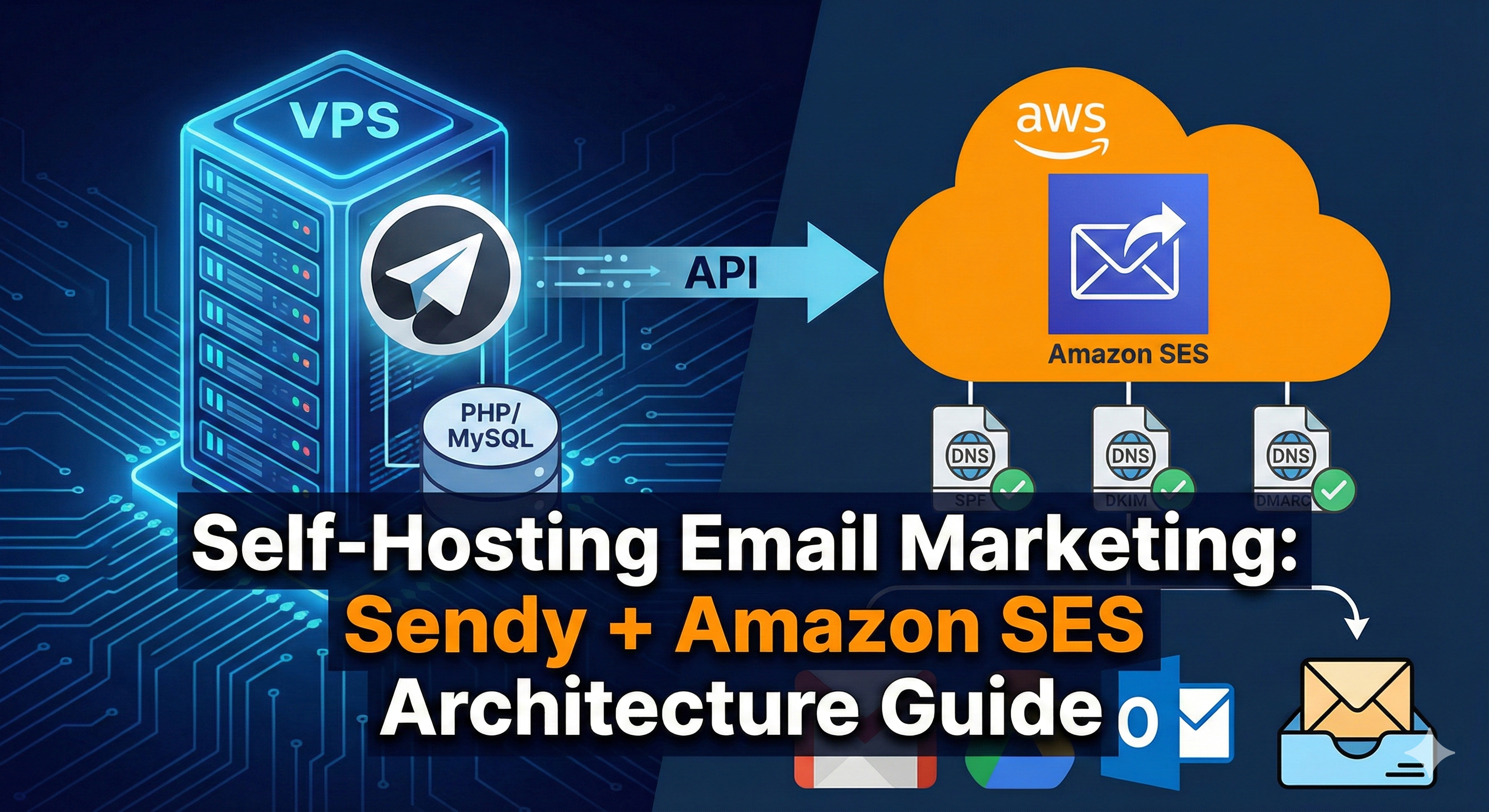
This guide details the architecture of hosting Sendy (a PHP/MySQL application) on a VPS, connected to Amazon SES (Simple Email Service) via API. This setup costs pennies per 1,000 emails, but requires precise configuration of DNS and SNS (Simple Notification Service) to ensure deliverability.
1. The Infrastructure Stack
Unlike a standard WordPress install, Sendy requires specific handling for threading and long-running processes.
- VPS: 1 vCPU / 2GB RAM (Minimum). High I/O is not required.
- Web Server: Nginx (Recommended over Apache for concurrent connection handling).
- Database: MariaDB 10.5+.
- PHP Extensions:
php-curl,php-xml,php-gettext(Critical for localization).
2. Nginx Configuration for Sendy
Sendy ships with an .htaccess file for Apache. If you are running a high-performance Nginx stack, you must translate those rewrite rules manually.
server {
    listen 80;
    server_name email.yourdomain.com;
    root /var/www/sendy;
    index index.php;

    location / {
        try_files $uri $uri/ /index.php?$args;
    }

    location ~ \.php$ {
        include snippets/fastcgi-php.conf;
        fastcgi_pass unix:/var/run/php/php8.1-fpm.sock;
        fastcgi_param SCRIPT_FILENAME $document_root$fastcgi_script_name;
        include fastcgi_params;
    }

    # Deny access to sensitive files
    location ~ /(includes|uploads) {
        deny all;
        return 403;
    }
}
3. The Amazon SES Integration (API vs. SMTP)
Do not use SMTP credentials. The Amazon SES API is significantly faster (lower latency per request) and more reliable for bulk sending. You will need to create an IAM User with restricted permissions.
AdministratorAccess. Create a custom IAM Policy allowing only ses:SendRawEmail and ses:ListIdentities.
4. Deliverability Engineering: The DNS Trinity
Sending the email is easy; landing in the Inbox requires proving you are not a spoofer. You must configure three specific DNS records.
SPF (Sender Policy Framework)
A TXT record that authorizes Amazon SES to send on behalf of your domain.
"v=spf1 include:amazonses.com ip4:YOUR_VPS_IP -all"
DKIM (DomainKeys Identified Mail)
Amazon SES generates 3 CNAME records. These rotate cryptographic keys. You must add these to your DNS zone. Without DKIM, Gmail and Outlook will likely flag your emails as "Dangerous."
DMARC (Domain-based Message Authentication)
The policy that tells receivers what to do if SPF/DKIM fail. Start with a "none" policy (monitor mode) before moving to "quarantine."
"v=DMARC1; p=none; rua=mailto:[email protected]"
5. Reputation Management: SNS Webhooks
If you keep sending emails to invalid addresses (Hard Bounces) or people who mark you as spam (Complaints), Amazon will suspend your account. Sendy handles this via Amazon SNS.
- Create an SNS Topic for "Bounces" and one for "Complaints" in the AWS Console.
- Point the Subscription to your VPS endpoint:
https://email.yourdomain.com/includes/campaigns/bounces.php. - Mechanism: When an email bounces, SES notifies SNS, which pings your server. Sendy then marks that subscriber as "Bounced" in the database, preventing future sends.
6. The Cron Job (The Heartbeat)
Sendy does not send emails in real-time when you click "Send." It queues them. You must set up a cron job to process this queue every 5 minutes.
*/5 * * * * php /var/www/sendy/scheduled.php > /dev/null 2>&1
*/1 * * * * php /var/www/sendy/autoresponders.php > /dev/null 2>&1